
~4,850 words · 21 minute read
Abstract
Most companies build their AI strategy in the wrong order: tools first, organization later. The result is expensive software amplifying existing chaos rather than creating clarity. This guide presents a three-phase framework for AI implementation that actually works: fix your information architecture, introduce AI on clean foundations, then automate what's proven. Drawing on research in organizational knowledge management (DeLong, 2004), queueing theory (Little, 1961), and cognitive load (Miller, 1956), you'll learn why most AI projects underdeliver and what the companies getting real results are doing differently. Along the way, we'll connect this framework to practical artifacts from Obomei's Build Once, Use Forever series [1]: reusable operational systems that give your information architecture the structure AI needs to deliver on its promise.
🔄 The Backwards Pattern
Here's the sequence that plays out in company after company. Leadership announces the "AI transformation." Enterprise licenses get purchased: ChatGPT Enterprise, Microsoft Copilot, custom LLM integrations. Everyone gets access. Teams experiment with summarizing emails, drafting proposals, generating reports. For a few weeks, it genuinely feels like the future has arrived and the investment is already paying for itself.
Six months later, the reality looks different. Adoption sits around 15%. The AI-generated proposals occasionally include outdated services. The summaries miss critical context that was buried in the wrong tool. The reports pull from documentation that hasn't been updated since the last reorganization. Executives quietly wonder what went wrong, and the "AI transformation" becomes another initiative that looked better in the boardroom than in practice.
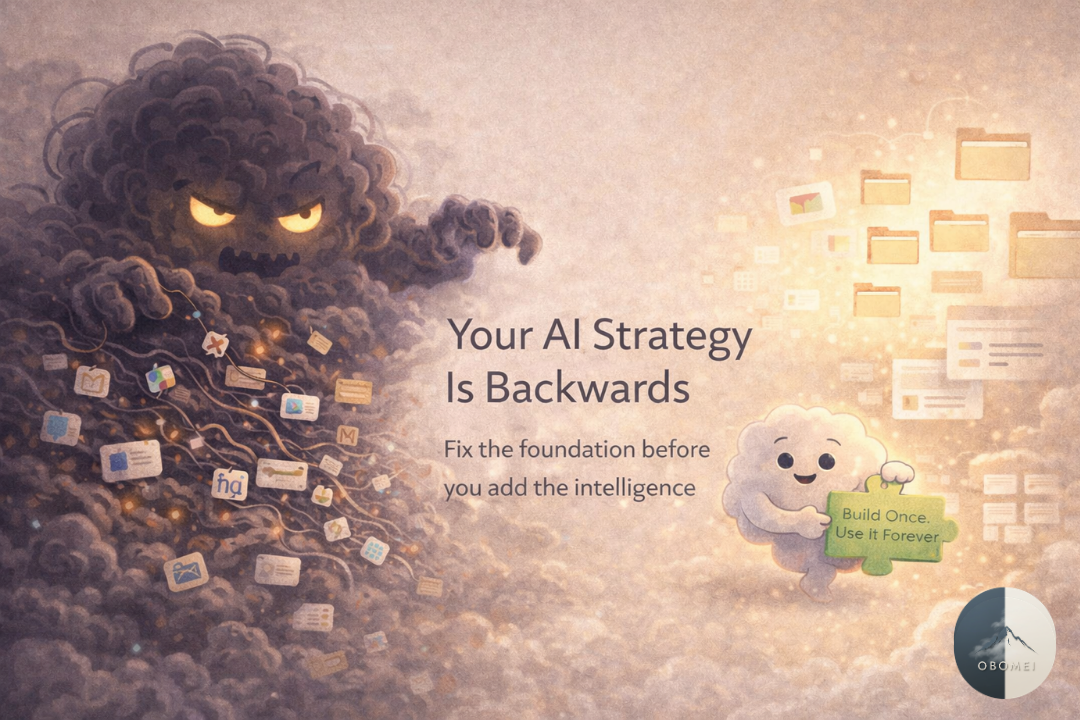
The mistake wasn't the AI choice. It was the assumption that AI could work with chaos.
This follows the same pattern we see with every operational scaling problem. When companies grow, they don't just add people and tools. They multiply complexity. Every new tool introduced to "fix" something creates what I call the Kudzu Problem: a solution brought in to address one issue that eventually swallows everything in sight (Anderson, 2010). AI is the latest and most expensive variety of kudzu, because unlike a project management tool that sits unused, AI actively generates new content from whatever messy inputs it can find, compounding the chaos rather than containing it.
The real issue? Most organizations have an information architecture problem disguised as an AI problem.
🔍 Why AI Exposes Your System Gaps
AI doesn't organize your information. It surfaces whatever it can access, whether that information is current, accurate, or relevant. Unlike a new hire who might ask clarifying questions or sense that something feels off, AI has no instinct for institutional context. It treats a policy document from 2019 with the same confidence as one published last week, and it can't distinguish between your active project tracker and the abandoned SharePoint that nobody has logged into in three years.
It's common to see AI confidently cite policies that were retired two years ago, suggest processes that were abandoned after a reorganization, and miss critical context because it was buried in a tool nobody checks anymore. In one well-known example, an AI-generated client proposal included a service offering that had been discontinued — because the old service page was still live on the company website. The AI wasn't broken. It was working exactly as designed, pulling from whatever information it could reach. The information architecture was the thing that was broken.
When your organizational knowledge lives scattered across:
Slack channels with overlapping conversations
SharePoint folders last updated in 2019
Email threads that serve as unofficial decision logs
Personal drives and individual notebooks
The heads of senior employees who haven't written anything down
...your AI will reflect that chaos right back to you. Faster.
This is the same infrastructure problem that breaks scaling teams (Argote & Ingram, 2000). If you can't onboard a new hire without weeks of live shadowing, your systems aren't documented well enough for a person to navigate — let alone an AI. If your team can't answer "where does this information live?" in under two minutes, neither can any tool you plug in. In an earlier piece on knowledge base structure [4], we explored how teams end up with what amounts to a knowledge graveyard: full of content that nobody can find, so nobody trusts it, so nobody maintains it. That same graveyard is now what your AI is using as its primary source material.
Research on cognitive load explains why this compounds so dangerously. Miller's foundational research on working memory, later refined by Cowan (2001), showed that humans can hold roughly four to seven chunks of information in working memory at any given time. When your team already burns cognitive capacity remembering which of six tools holds the current version of something, adding AI doesn't reduce that burden. It adds another layer of complexity: another output to verify, another source to cross-reference, another tool in the stack that might be pulling from the wrong place. The promise of AI is reduced cognitive load. The reality, without clean information architecture, is the opposite.
🚨AI amplifies whatever it finds. Organized information becomes powerful capability. Scattered information becomes confident confusion.
To be clear: this isn't necessarily a permanent limitation. AI capabilities are evolving rapidly, and the day may come when these models can genuinely organize chaotic information into coherent systems. But we're not there yet. Current AI is exceptionally good at processing, summarizing, and generating content. It is not yet equipped to make the architectural decisions about where information should live and how it should be maintained. Until that changes, the sequence outlined in this article isn't just a preference. It's a necessity.
🏗️ What Information Architecture Actually Means
Information architecture sounds like something that requires a dedicated team and a six-month project plan. It doesn't. At its core, information architecture is about creating a shared logic for where things live, how people find them, and how they stay current. It's the organizational equivalent of putting your keys in the same place every day, except applied to every piece of knowledge your team relies on to do their work. When that shared logic exists, everything downstream becomes easier: onboarding, collaboration, decision-making, and yes, AI implementation. The concept breaks down into three fundamental questions.
-
Every type of information needs a clear, consistent home. Project decisions go in the decision log. Meeting outcomes go in the project tracker. Process documentation goes in the handbook. This sounds obvious, but in practice most teams have never explicitly decided where each type of information belongs. Instead, information ends up wherever the person who created it happened to be working at the time — a Slack thread, a Google Doc, an email chain, a personal notebook. The result is that the same type of information lives in five different places depending on who created it and when.
This is the ownership principle that underpins every effective system (Pierce & Jussila, 2010). When everyone is responsible for information, no one is responsible. The Build Once, Use Forever series [1] covers nine reusable artifacts that give teams this kind of structural clarity. From decision logs [2] that capture the what, why, and who behind every call, to async update templates [3] that standardize how progress flows between people, each artifact answers the "where does this go?" question for a specific type of information. Together they form your team's operating layer.
-
Your team should be able to locate what they need in under two minutes, without asking someone else. That means predictable naming conventions, logical structures, functional search, and clear ownership of each source. If finding information requires pinging a colleague with "Hey, do you know where...?" then your architecture is broken. That question, repeated across a team of fifteen people multiple times per day, represents an enormous hidden cost in both time and cognitive interruption.
The knowledge base structure [4] explored previously in that series offers a simple three-layer model for this: working knowledge (what you need this week), reference knowledge (what you need when you need it), and archive (what you need someday, maybe). Three buckets that mirror how teams actually think about information. Working keeps the noise out of reference. Reference keeps the essentials from getting buried under active work. Archive keeps everything without cluttering anything. When your knowledge follows this shared logic, finding things stops being a treasure hunt and becomes predictable.
-
Information needs owners. Outdated content needs to get archived or updated on a regular cadence, and there must be a clear distinction between "current truth" and "historical reference." Without this distinction, your team — and your AI — will treat every document as equally valid regardless of when it was last touched. DeLong (2004) calls this the threat of "lost knowledge": when critical processes exist only in people's heads, every departure or reorganization rebuilds understanding from scratch. Documentation without maintenance is just historical fiction with a corporate header.
This is where many teams fail even after making progress on the first two questions. They build the structure, fill it with content, and then let it decay. The retrospective framework [5] from the same series addresses this directly by building reflection into your operational rhythm so that documentation stays alive rather than fossilizing. When your team regularly asks "what changed?" and "what's no longer accurate?", your knowledge base remains current. And when your knowledge base stays current, your AI finally has a foundation it can actually be trusted to work from.
The Right Sequence: Architecture → AI → Automation
The companies getting real results from AI follow a specific sequence. Not because it's trendy, but because each phase builds the foundation the next one requires.
-
This follows the same diagnostic approach used for any scaling challenge (Goldratt, 1984): identify the constraint before adding resources. In the context of AI readiness, the constraint is almost always that your information is scattered, outdated, or undocumented — and no amount of AI sophistication can compensate for that.
Audit what you have. Map where information currently lives across your organization. Which systems are actively used and maintained? Which are effectively abandoned but still technically accessible? What critical knowledge exists only in people's heads? Most teams discover they're paying for tools nobody uses, maintaining duplicate systems that create conflicting versions, and relying on tribal knowledge for their most critical processes. The process mapping [6] approach from the Build Once, Use Forever series provides a practical method for this: pick one workflow, map what actually happens (not what should happen), and identify where information gets stuck, duplicated, or lost.
Consolidate ruthlessly. Pick one system for each type of information and commit to it. Every additional tool creates switching costs — what Leroy (2009) calls "attention residue." When you shift between interfaces, part of your mind stays stuck on the previous context, degrading performance on whatever you move to next. Fewer tools means less cognitive tax, cleaner information flows, and ultimately better inputs for any AI system you introduce later.
Establish simple routing rules:
Project decisions → Decision log
Meeting outcomes → Project tracker
Process how-tos → Handbook
Work in progress → Task management system
Make it searchable. Consistent naming conventions. Clear structures. Descriptive titles and summaries. If someone can't find a piece of information through search, it effectively doesn't exist — for your team or for any AI you connect to your systems. This is the same principle behind the project brief template [7]: if you can't clearly define where something belongs before work begins, you're not ready to start.
The test: Could a new team member find any piece of critical information without asking a colleague? If not, you're not ready for Phase 2.
-
Start with one high-value, low-risk workflow. Not "give everyone access and see what happens." Pick one specific process where AI can add clear value — summarizing meeting transcripts into decision log [2] entries, drafting project briefs [7] from intake forms, answering common questions from your handbook, and build AI into that single workflow. The goal is to prove the concept in a controlled environment before expanding, which mirrors the same phased approach that works for scaling teams: pilot with one workflow, learn from the results, then expand based on evidence rather than enthusiasm.
Build validation into every step. AI drafts, a human reviews, then it gets published. Never let AI output go directly to customers or critical systems without human review. Track what gets approved versus what gets rejected. Those patterns become your improvement roadmap.
Create reusable systems. Template prompts with your organizational context pre-loaded. Standard formats for AI outputs. Clear handoff points between AI work and human work. This is where clean information architecture pays dividends — the AI's outputs are only as reliable as the context you feed it.
The test: Is AI consistently producing outputs that require minimal editing for your pilot workflow? If yes, move to Phase 3.
-
Automation is the reward for doing Phases 1 and 2 properly. Not before.
Automate repetitive, validated workflows. Auto-generate meeting summaries and action items. Draft routine reports from structured data. Surface relevant documentation based on project context. These should be workflows where AI has already proven it produces reliable, consistent results during Phase 2. The weekly sync format [8] and async update template [3] from the Build Once, Use Forever series are examples of structured workflows that translate well to AI automation — precisely because they already have clear inputs, predictable outputs, and defined quality standards.
Build feedback loops. Track approval rates over time. Refine prompts based on rejection patterns. Continuously improve accuracy. The goal is a system that learns and improves through use, not a static automation that breaks silently while everyone assumes it's working. This mirrors the retrospective framework [5] principle: close the loop. Without regular review of what's working and what isn't, automated systems decay just like unattended documentation does.
Scale gradually. Add one new use case at a time. Monitor quality at each step. If accuracy drops, pause and diagnose before expanding. This mirrors the same principle that applies to scaling teams (Cummings & Haas, 2012): growth without monitoring creates invisible failures.
⚠️ The Anti-Patterns: How AI Projects Fail
If the three-phase sequence is the path that works, these are the four patterns that reliably produce expensive disappointment.
-
"Let's add this AI tool, it might help with that."
Every AI tool you add without removing something creates integration debt. Your team now has one more interface to learn, one more login to manage, one more system where critical information might end up living. You're not solving the information problem. You're giving it another address. The Tool Collector pattern is especially dangerous with AI because each new tool often comes with its own knowledge base, its own context window, and its own version of your organizational truth. Instead of one source of truth, you end up with several AI systems each working from a slightly different, slightly incomplete picture of your organization. The result isn't smarter operations. It's more sophisticated confusion.
-
AI will organize everything for us, that's the whole point."
This is a fundamental misconception about what current AI actually does. AI doesn't yet create structure. It doesn't look at your scattered documentation and think "this should be organized differently." AI is, today, a processing engine, not an organizing engine — it works within whatever structure already exists and produces outputs based on the inputs it receives. When someone says "AI will organize our information," what they actually mean is "we hope AI will compensate for our lack of organizational systems." It won't. Plugging AI into chaos produces polished-looking chaos: well-formatted documents built on outdated information, confident summaries that miss critical context, automated workflows that route things to the wrong places. As queueing theory has consistently shown (Little, 1961; Reinertsen, 2009), adding resources to a broken system just gives you more resources working inefficiently. The outputs may look more professional, which actually makes the problem worse — because people trust them more than they should.
-
"Let's roll out AI to everyone at once and get maximum adoption from day one."
No pilot. No validation. No feedback loop. Just enterprise licenses and an all-hands announcement. This pattern fails because it assumes AI value is self-evident, that people will naturally figure out how to use it productively for their specific workflows. In practice, without structured use cases and validated processes, most people experiment for a week, get mediocre results because the underlying information isn't organized, and quietly stop using the tool. Six months later, adoption is dismal because nobody built the bridges connecting AI capabilities to specific, repeatable work processes. The money spent on licenses becomes a sunk cost, and worse, the failed rollout poisons the well for future AI initiatives that might have worked with a more measured approach.
-
"We know our docs need cleanup, but we can't wait three months. Let's just start using AI now and clean up later."
Unlike the Magic Wand, which misunderstands what AI can do, the Skip-Ahead is a conscious prioritization choice. The team knows the documentation is messy. They know the information architecture needs work. But cleanup feels slow, tedious, and unglamorous compared to the excitement of AI implementation. So they skip Phase 1 and jump straight to Phase 2, planning to "circle back" to the foundation work later. The problem is that "later" never comes, because now you're managing AI outputs built on shaky foundations. Every AI-generated document needs extra review time because you can't fully trust the sources. Every automated workflow requires manual spot-checking because the inputs aren't reliable. The time you "saved" by skipping cleanup gets spent three times over on quality control, error correction, and the slow erosion of your team's trust in AI outputs. You haven't saved time — you've redistributed it to the most expensive and frustrating part of the process.
🔬 What This Looks Like in Practice
-
Month 1: Buy ChatGPT Enterprise licenses for the whole company.
Month 2: Everyone experiments randomly. No coordination, no shared workflows.
Month 3: AI drafts a client proposal including a service you discontinued last year. Pulled from an outdated webpage.
Month 6: 15% adoption. Leadership questions the investment. -
Month 1–3: Audit and consolidate information. Archive outdated content. Run the "new hire test."
Month 4: AI for one workflow: transcripts → decision log [2] entries. Validate weekly.
Month 5: Refine prompts. Add a second use case: project briefs [7] from templates.
Month 6: Automate meeting summaries. Consistently accurate without editing.
Month 9: Five workflows automated. 80% adoption. Real time saved.
🚀 Getting Started: Your First 30 Days
You don't need to overhaul everything at once. Start here:
Week 1: The Tool Audit
Take 15 minutes to list every tool your team uses for storing or sharing information. Note which ones are actively maintained, which are effectively abandoned, and where information is duplicated across systems. Most teams discover they can eliminate 30–40% of their tools without losing anything of value. The process mapping [6] approach works well here: draw out how information actually flows through your organization, and you'll quickly see where it gets stuck, duplicated, or lost.
Week 2: The Onboarding Test
Ask yourself: could a new person find your 10 most important documents without asking anyone? If not, those documents need a clear, consistent home. Move them there.
Week 3: Simple Routing Rules
Establish where each type of information goes. Decisions, project status, processes, meeting outcomes. Write it down. Share it. Make it the default.
Week 4: The First AI Pilot
Pick one repetitive workflow that runs on information you've now organized. Set up AI to handle the first draft. Build in human review. Start tracking quality. That's it. Four weeks. No enterprise transformation required. Just clean foundations that make everything after them, including AI, actually work.
💡 The Bottom Line
AI is powerful. But it isn't magic, and it isn't a shortcut past the hard work of getting your information organized.
If your information is scattered, AI will scatter faster. If your documentation is outdated, AI will confidently present outdated information as current truth. If your knowledge lives in people's heads instead of in systems, AI will hallucinate to fill the gaps. But if your information is organized, current, and accessible, AI becomes a genuine force multiplier that compounds your team's capability in ways that justify every dollar of the investment.
The companies winning with AI in 2026 aren't the ones with the fanciest models or the biggest budgets. They're the ones who fixed their information architecture first. The same way the companies that scale successfully are the ones who build operational infrastructure before it breaks (Aral & Van Alstyne, 2011).
Stop buying AI tools and hoping they'll organize your chaos. Start organizing your information, then let AI make it even more useful.
📚 Series References
The artifacts referenced throughout this article are from the Build Once, Use Forever series. Find the full posts on LinkedIn:
Build Once, Use Forever (Series Recap) — https://www.linkedin.com/posts/sjverboom_chaos-cloud-series-2-recap-activity-7440306420962480128-jDK9?utm_source=share&utm_medium=member_desktop&rcm=ACoAABYKA7AB8Z_M5lxkZWHKTov73fVNU1ESO2w
The Async Update Template — https://www.linkedin.com/posts/sjverboom_chaos-cloud-async-update-activity-7434500433018150913-E7aJ?utm_source=share&utm_medium=member_desktop&rcm=ACoAABYKA7AB8Z_M5lxkZWHKTov73fVNU1ESO2w
The Knowledge Base Structure — https://www.linkedin.com/posts/sjverboom_chaos-cloud-knowledge-base-structure-activity-7437037094641754113-gKPF?utm_source=share&utm_medium=member_desktop&rcm=ACoAABYKA7AB8Z_M5lxkZWHKTov73fVNU1ESO2w
The Retrospective Framework — https://www.linkedin.com/posts/sjverboom_chaos-cloud-retros-101-activity-7437754332948660227-gyU2?utm_source=share&utm_medium=member_desktop&rcm=ACoAABYKA7AB8Z_M5lxkZWHKTov73fVNU1ESO2w
The Project Brief Template — https://www.linkedin.com/posts/sjverboom_chaos-cloud-project-brief-activity-7430567262941597696-Ly5G?utm_source=share&utm_medium=member_desktop&rcm=ACoAABYKA7AB8Z_M5lxkZWHKTov73fVNU1ESO2w
The Weekly Sync Format — https://www.linkedin.com/posts/sjverboom_chaos-cloud-weekly-sync-activity-7431956172687175680-0d01?utm_source=share&utm_medium=member_desktop&rcm=ACoAABYKA7AB8Z_M5lxkZWHKTov73fVNU1ESO2w
The Handoff Checklist — https://www.linkedin.com/posts/sjverboom_chaos-cloud-handoff-checklist-activity-7435217662550589440-IEKj?utm_source=share&utm_medium=member_desktop&rcm=ACoAABYKA7AB8Z_M5lxkZWHKTov73fVNU1ESO2w
